Full Olympus. Instant access. The complete Cazeus experience - iOS, Android, or browser - wherever you are.
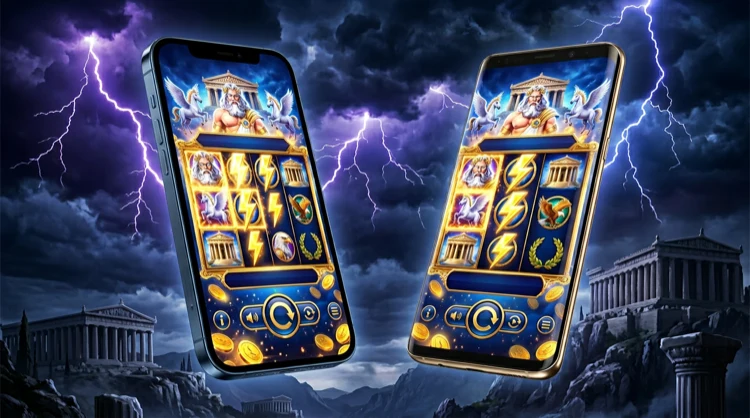
The Cazeus Casino app was built from the ground up for mobile gameplay, not retrofitted from a desktop experience. The distinction matters more than it might seem. An app built natively for mobile loads faster, responds to touch more accurately, manages battery consumption more efficiently, and delivers a visual experience that has been calibrated for smaller screens rather than simply compressed to fit them.
When you open the Cazeus app for the first time, the design language is immediately recognisable - the same midnight-blue palette, gold accents, and Olympus-themed aesthetics as the main site, adapted for the dimensions and interaction patterns of a smartphone. Navigation is thumb-friendly. The game lobby is organised for browsing with one hand. The account section, cashier, and support tools are all accessible within two taps from the home screen.
The full game catalogue is available - more than 2,000 titles spanning slots, live casino, table games, and jackpots. No content is locked to desktop only. The live casino streams perform particularly well on the app thanks to adaptive video quality that responds to your connection speed, reducing buffering without sacrificing visual clarity where your network allows it.
The Cazeus app is available for free on the Apple App Store, compatible with all iPhones and iPads running iOS 14 or later. The file size is under 100MB and the installation typically takes less than two minutes on a standard Wi-Fi connection.
Step-by-step installation on iOS:
If you have already saved your login credentials in iCloud Keychain or your preferred password manager, the Cazeus app supports AutoFill - your email and password can be populated automatically. Face ID and Touch ID are also supported for subsequent logins once you have authenticated once with your credentials.
Android users can download the Cazeus app from the Google Play Store on any device running Android 8.0 (Oreo) or later. An alternative APK download is also available directly from the Cazeus website for devices on which Google Play is not available or has been disabled.
Step-by-step installation on Android via Google Play:
For APK installation outside Google Play:
Fingerprint and PIN authentication are supported on Android following your first credentials-based login.
The Cazeus app is not a stripped-down version of the full platform. Every feature available on the desktop site is accessible on mobile - and several features have been specifically enhanced for the mobile context:
Both options provide access to the complete Cazeus platform. The choice between them comes down to personal preference and how often you play:
| Feature | Native App | Mobile Browser |
|---|---|---|
| Game library access | Full | Full |
| Biometric login | Yes | Browser-dependent |
| Push notifications | Yes | No |
| Download required | Yes (~90MB) | No |
| Load speed | Faster | Slightly slower |
| Automatic updates | Yes (via store) | Always current |
For players who visit Cazeus regularly - several times per week - the native app offers a meaningfully better experience: faster launch times, biometric login, and push notifications make it the more convenient option. For occasional players or those who prefer not to have a casino app on their device, the mobile browser provides the complete Cazeus experience without any download required.
The Cazeus app has been optimised for the full range of iOS and Android devices, not just flagship models. Performance testing was conducted across a range of older devices to ensure that the experience is acceptable on hardware that is three to five years old - the reality of how most players actually engage with mobile gaming.
Minimum specifications for a smooth experience:
Live casino streams adapt their video quality automatically to your connection speed. On strong Wi-Fi or 5G, tables stream in high definition. On slower connections, quality reduces gracefully to maintain smooth playback rather than buffering or freezing. The transition between quality levels is handled seamlessly and does not interrupt the game.
Security on mobile platforms often receives less attention than it deserves. The Cazeus app applies the same security standards as the desktop platform - and in some respects, the mobile platform is more secure by default due to the additional authentication layers available on modern smartphones.
Key security features in the Cazeus app:
We recommend keeping the app updated to the latest version at all times. Updates include security patches as well as performance improvements and new features. Automatic updates can be enabled in your App Store or Google Play settings.
Yes, the Cazeus Casino app is completely free to download on both iOS and Android. There are no subscription charges or download fees. Standard data charges from your mobile carrier may apply when playing over a mobile network rather than Wi-Fi.
Yes. The Cazeus app provides access to the full game library available on the desktop site, including all slots, live casino tables, and jackpot games. A small number of very old Flash-based titles that have been retired from the catalogue are not available on any platform.
Absolutely. All bonuses, including the welcome package, weekly cashback, reload offers and free spin drops, are fully accessible and claimable through the Cazeus mobile app. There are no mobile-exclusive exclusions from any promotional offer.
The Cazeus app is compatible with iPhones and iPads running iOS 14 or later, and Android devices running Android 8.0 (Oreo) or later. The mobile browser version of the site works on any modern smartphone or tablet without a download.
Yes. The Cazeus app uses the same 256-bit SSL encryption as the desktop platform. All account data, payment information and gaming activity is protected to the same standard. The app is distributed through official app stores and is subject to the same UKGC licensing requirements as the main platform.